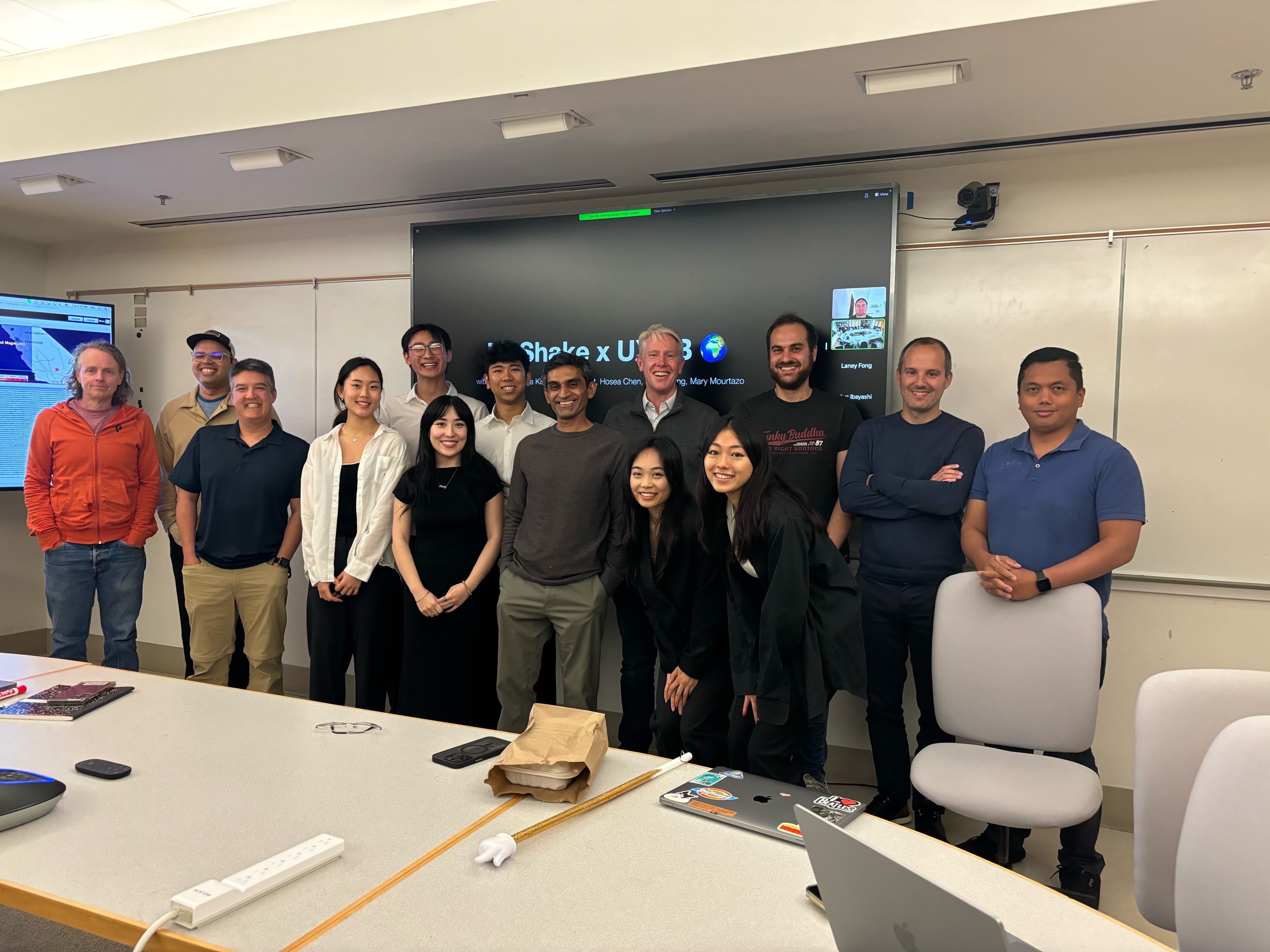
SF Bay Area
Redesigning earthquake alerts for intuitive, high-stakes navigation. (Launching in 2026)
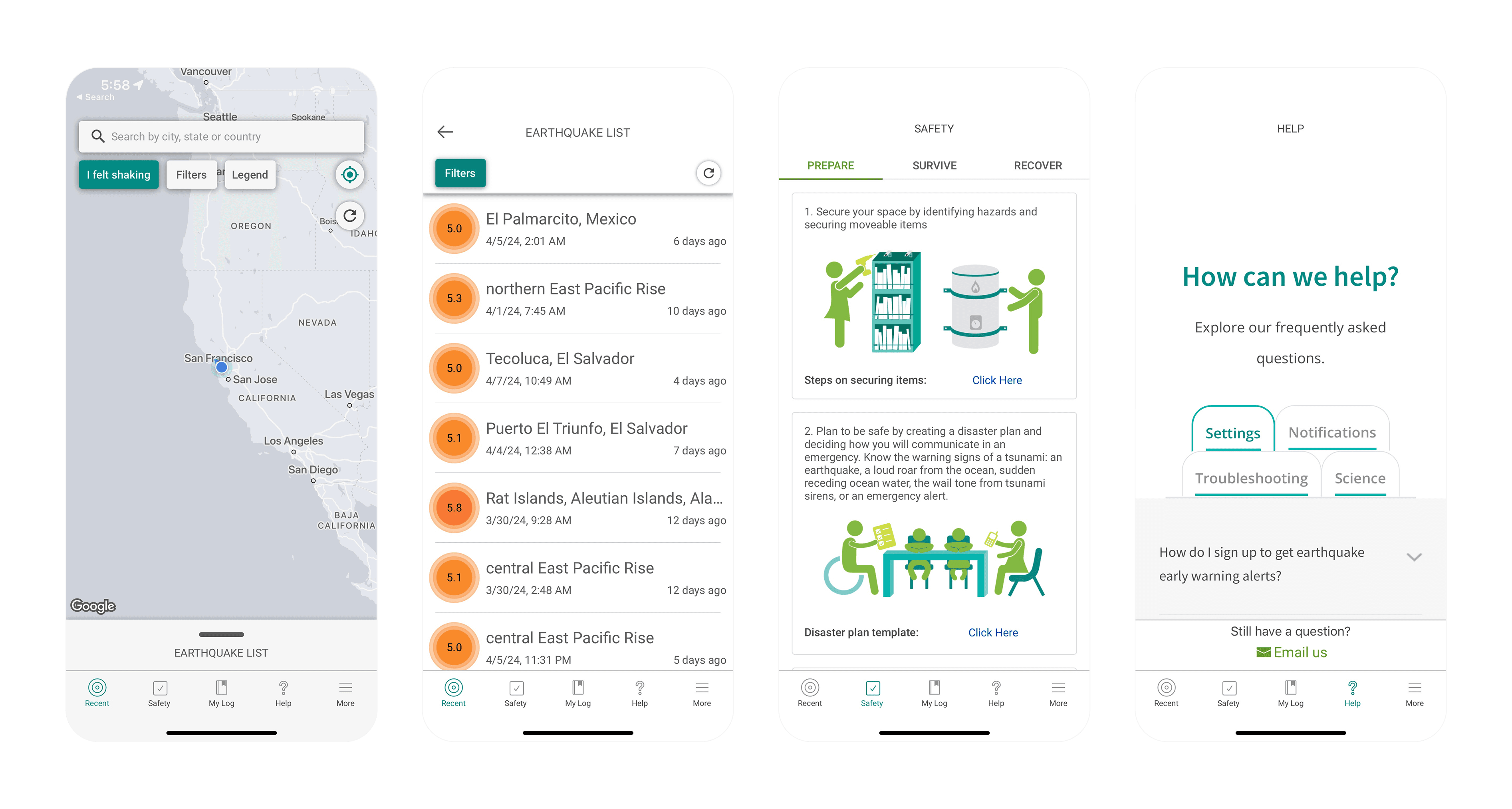
The current app feels outdated—poor onboarding, confusing navigation, and low engagement leave users with no reason to return.
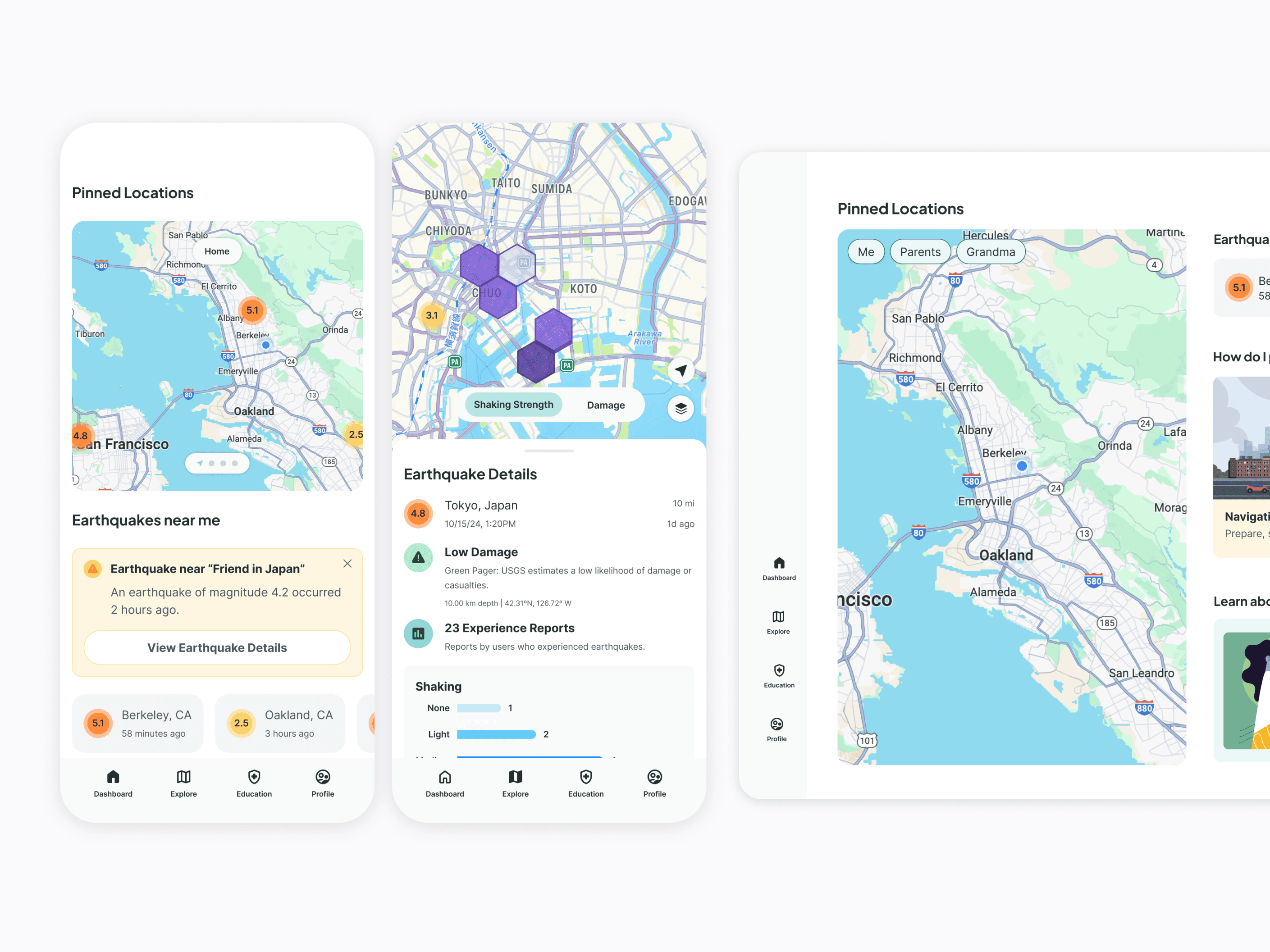
Redesigned MyShake from a passive information tool into a high-stakes navigation utility. Streamlined the information architecture to provide instant access to pinned family locations and critical safety status, reducing time-to-action during seismic events.
45% increase in user engagement by evolving MyShake into an all-in-one earthquake care package.
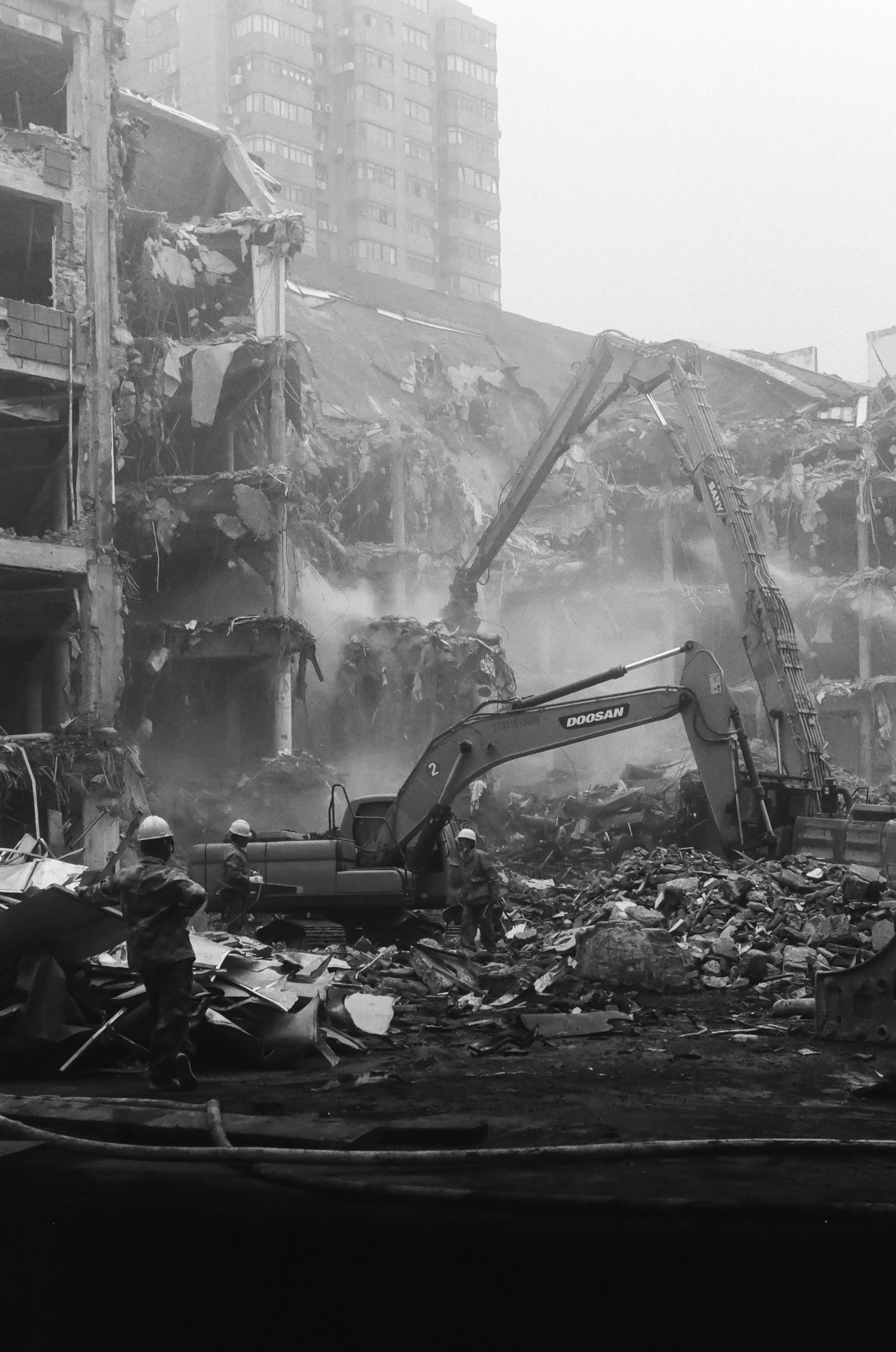
In moments where there is an emergency, how do we react?
MyShake is a mobile app that provides real-time earthquake alerts and safety information to help users prepare for and respond to earthquakes. We wonder what are the current priorities of users and how can we create an experience that matches their needs when there is an earthquake?
The only existing research we have is the active user rate.
I begin the project by asking our client if there are any existing user research or data that we can use as guidance. Our client's response was that we only have access to our active user rate which was low. Our next steps were to solve the why behind this number.
5%Active
Users (190k)->
12.5%Active
Users (500k)MyShake currently has 3.8+ million users and only 5% are active. We aim to have 4 million users with around 500k active users actively engaging with the app.
Bridging the gap between business goals and user needs through design advocacy.
My next challenge was securing foundational user data, but I immediately ran into a critical disagreement when stakeholders insisted, "Skip research, just redesign."
I saw the massive risk right away, especially since we don'd have access to user data besides the amount of downloads and active user which were only 5% of people were actually using the app, so I stepped up as the Design Advocate. I successfully argued that we absolutely had to spend time on research—not just new colors—to figure out what the real problems were for our users.
Finding the market gap in our competition.
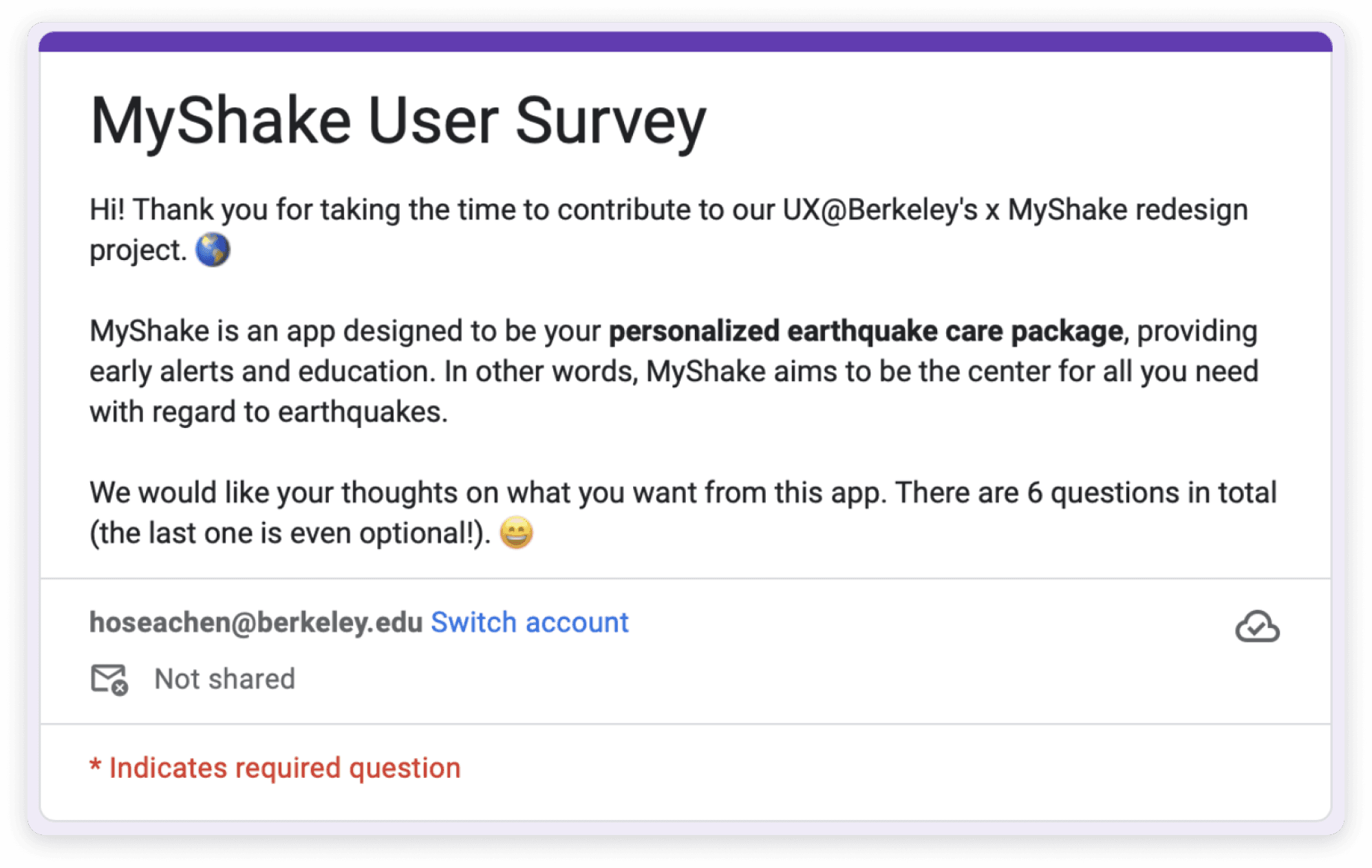
Feedback on understanding user priorities during an earthquake and what they expect to see.
Validation through Urgency: Quantifying User Needs in Crisis
takeaways
Features
Earthquake Tracking, Information Access, Reporting
Expectations
Early Alert, Safety & Communication
Dislikes
Poor UI aesthetics, the confusing "I felt shake" button, lack of color on the map.
Understanding what features to prioritize within our scope of time.
Having identified core user needs, we pivoted to prioritizing high-impact solutions that could be realistically delivered within our timeframe.
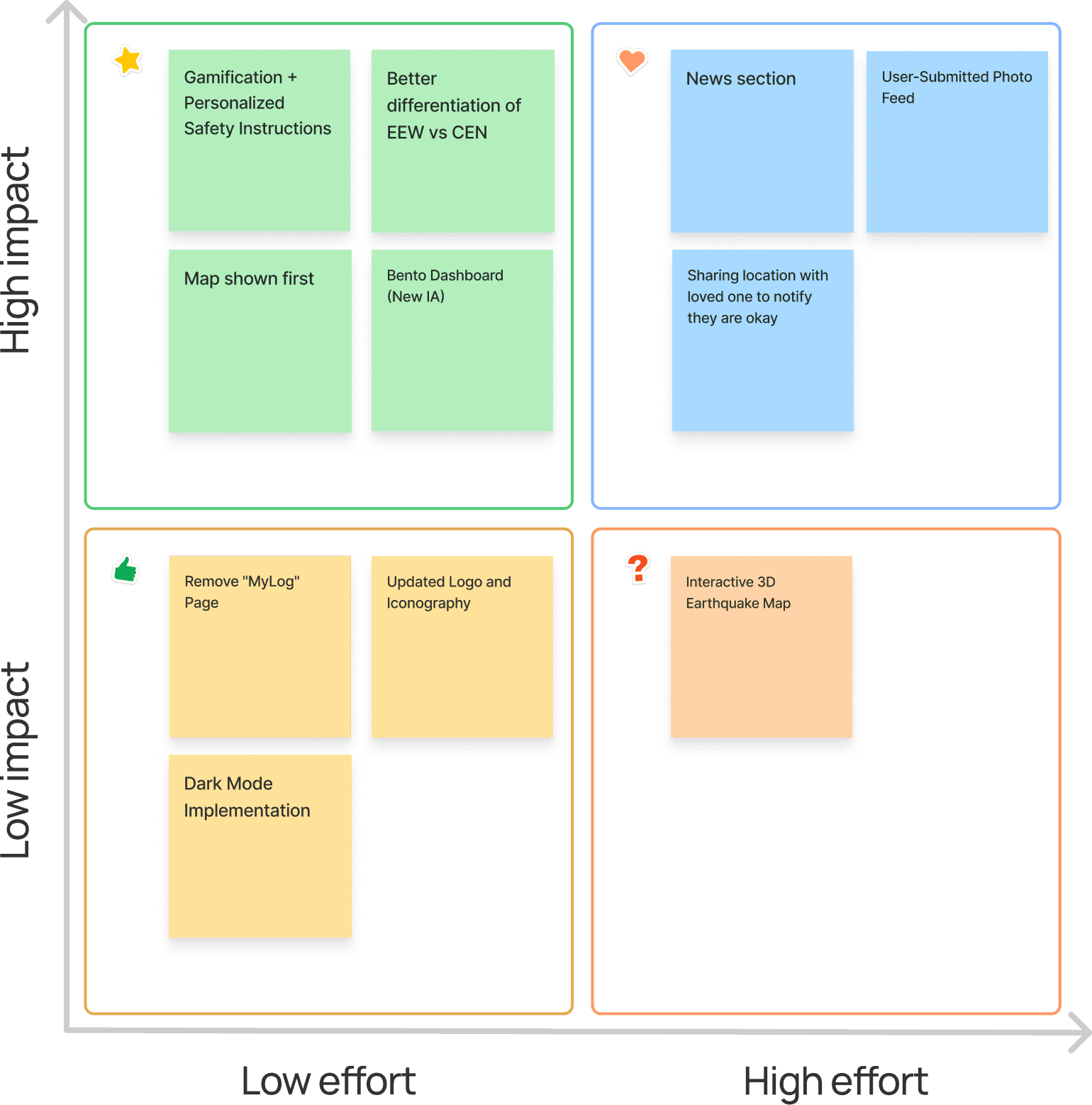
The Path to Instant Connection: Redefining Emergency Navigation
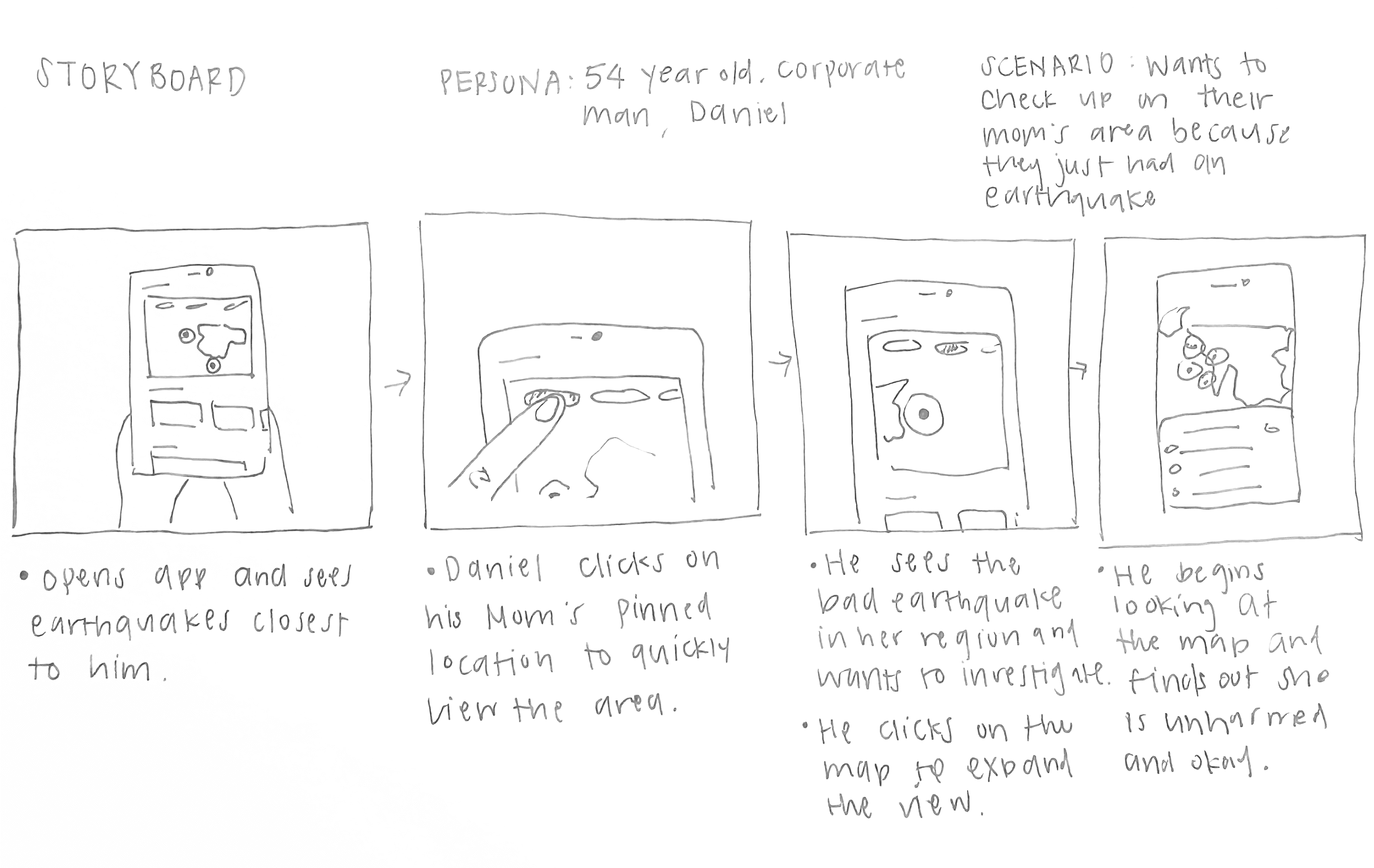
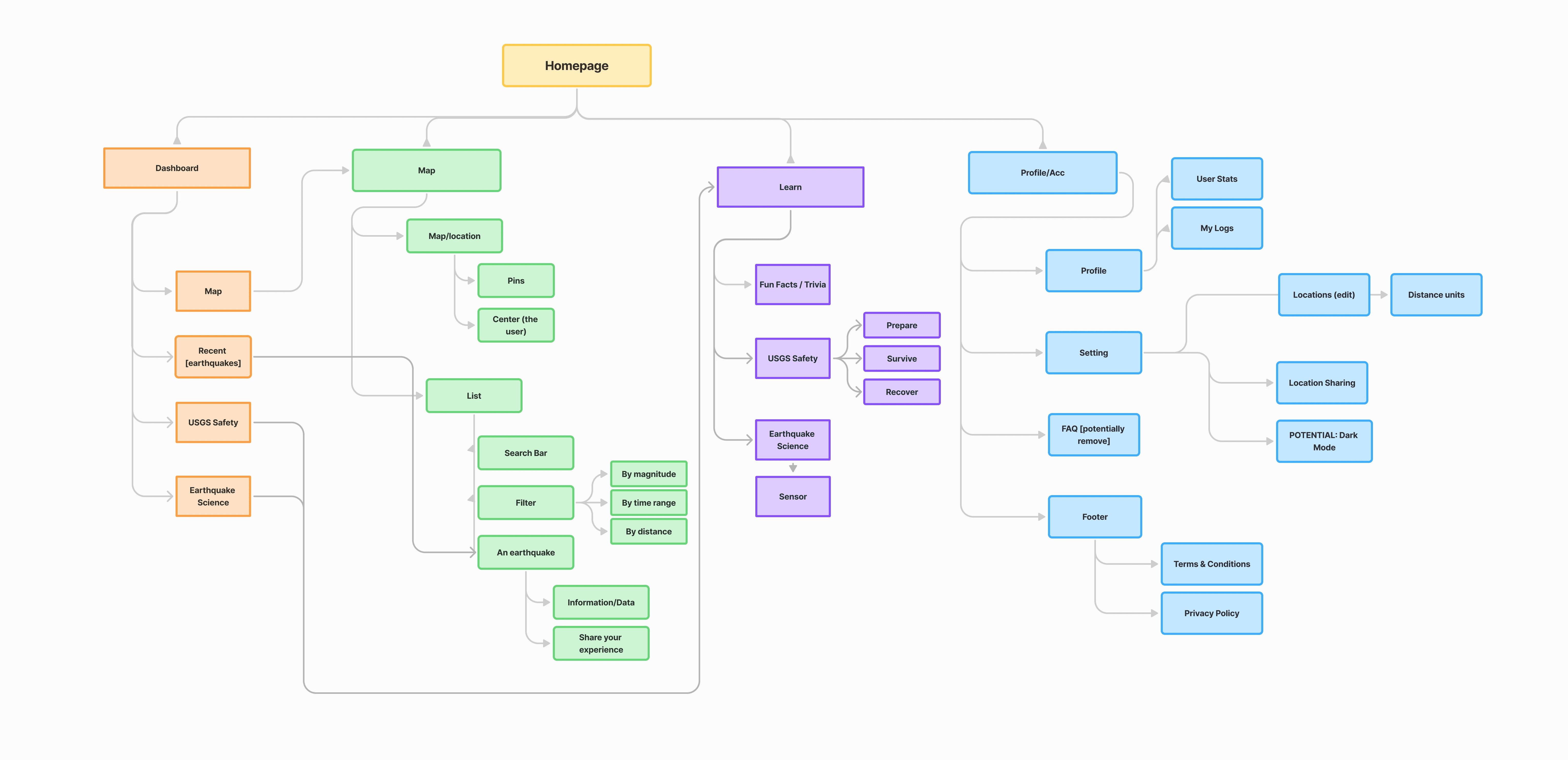
We identified a significant friction point: a seven-step location check. To support users in high-stakes scenarios, we are redesigning the architecture to minimize cognitive load and prioritize speed.
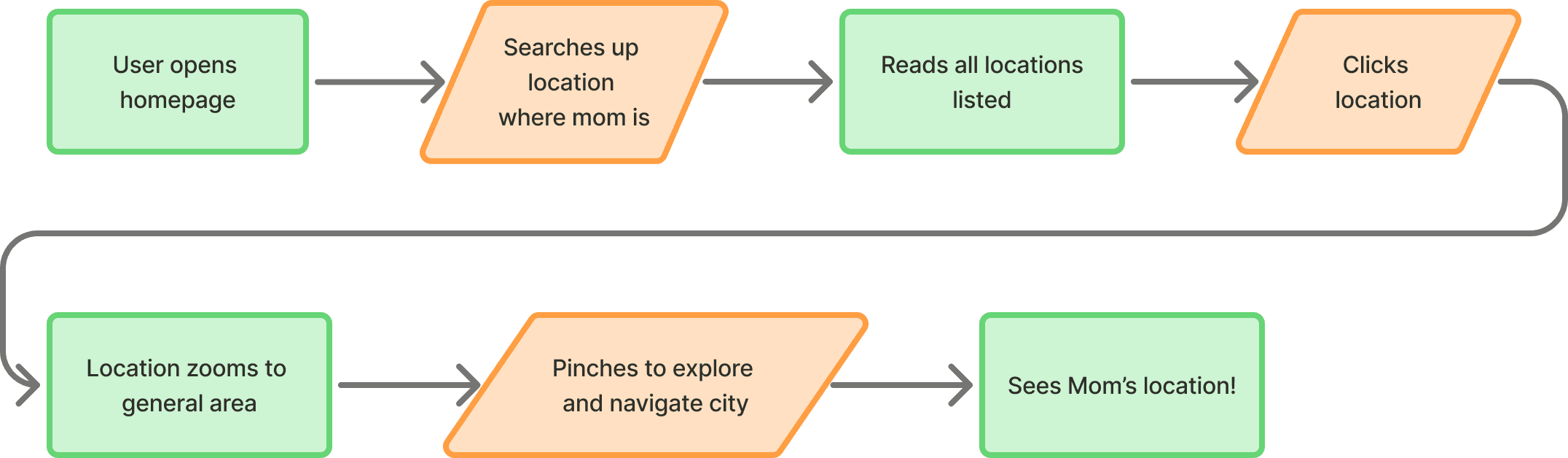
Empathizing with users to find the most intuitive flow.
We started a competitive analysis to find what users liked in other earthquake apps and ways we can find improvements. Our focus was on improving user satisfaction by refining the user experience and integrating key features from other apps.
Utilizing a bento-grid framework to create a clear hierarchy for high-stakes user actions.
Drawing from Uber’s high-frequency navigation patterns, we developed a layout optimized for high-stakes utility and immediate access to critical features.
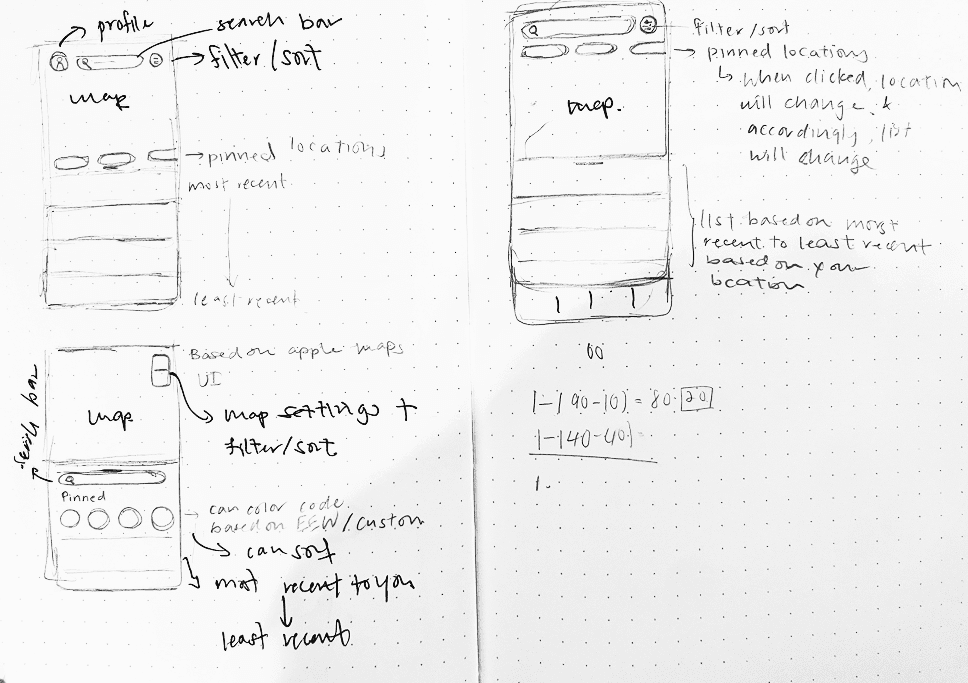
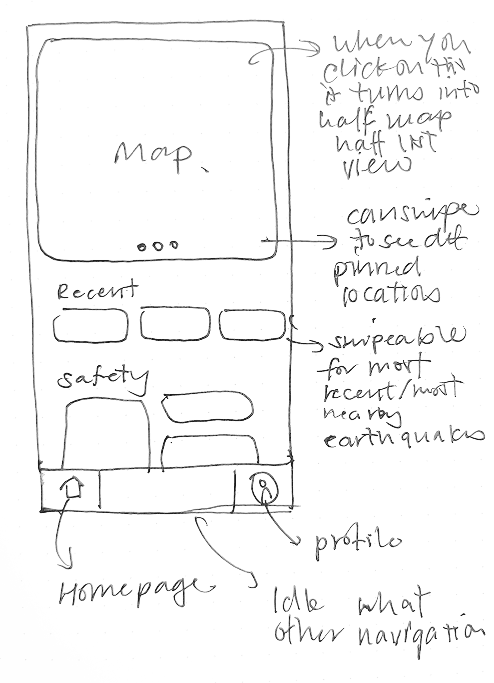
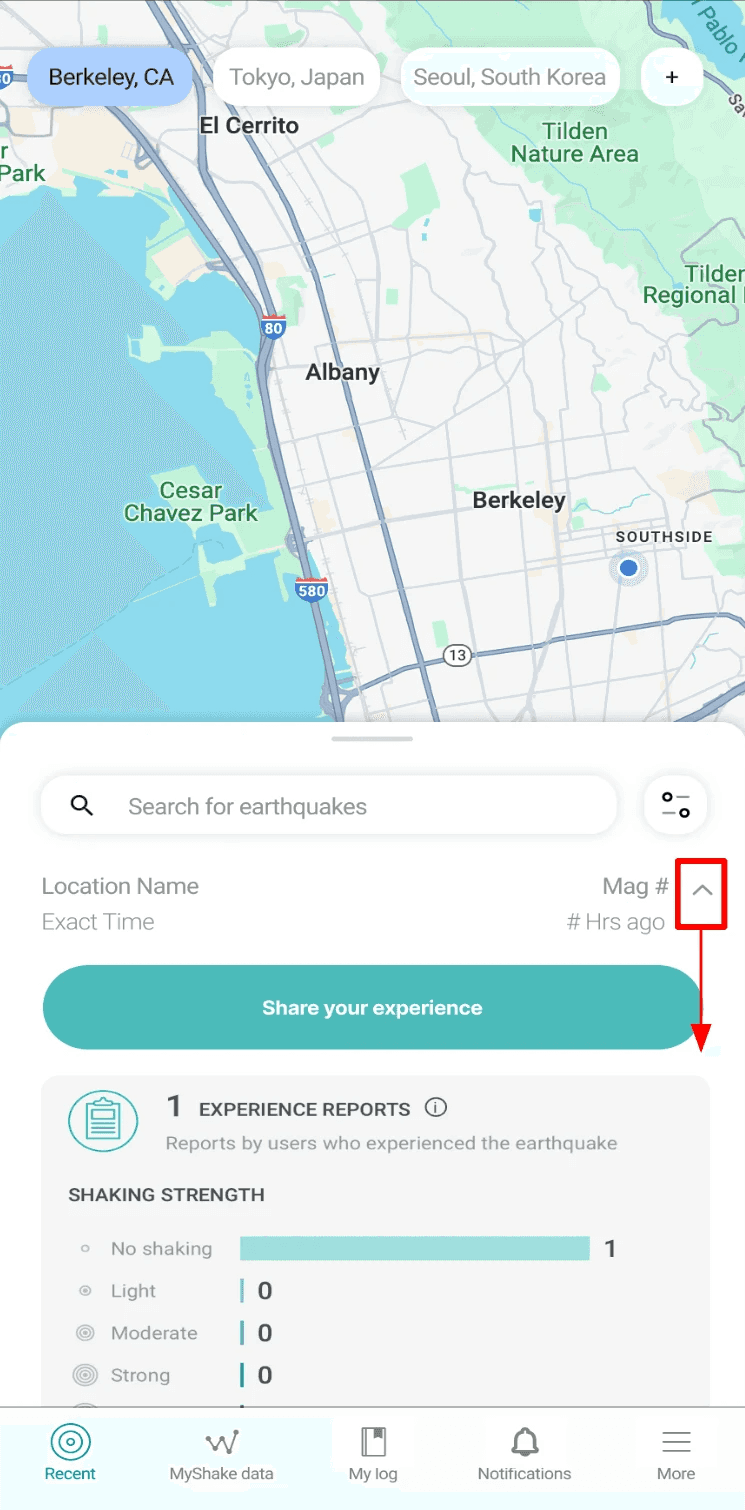
We employed A/B testing to quantitatively validate our design hypotheses and converge on a data-backed final solution.
Half-list + Half-map Landing Page
Bento style Dashboard
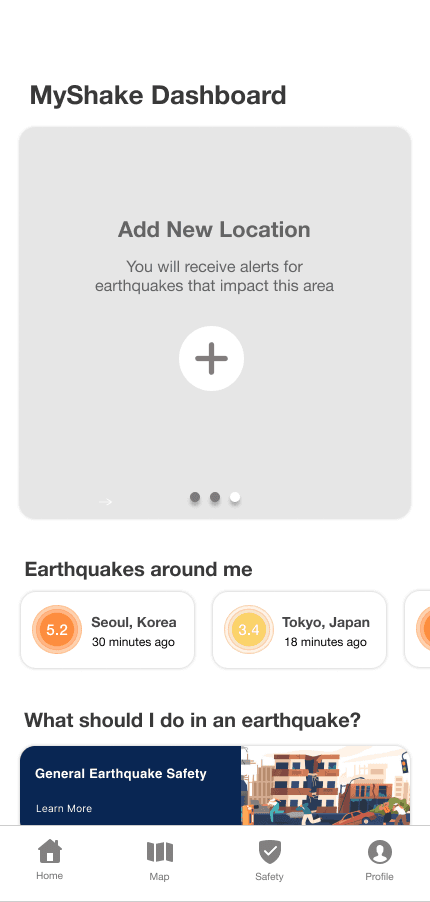
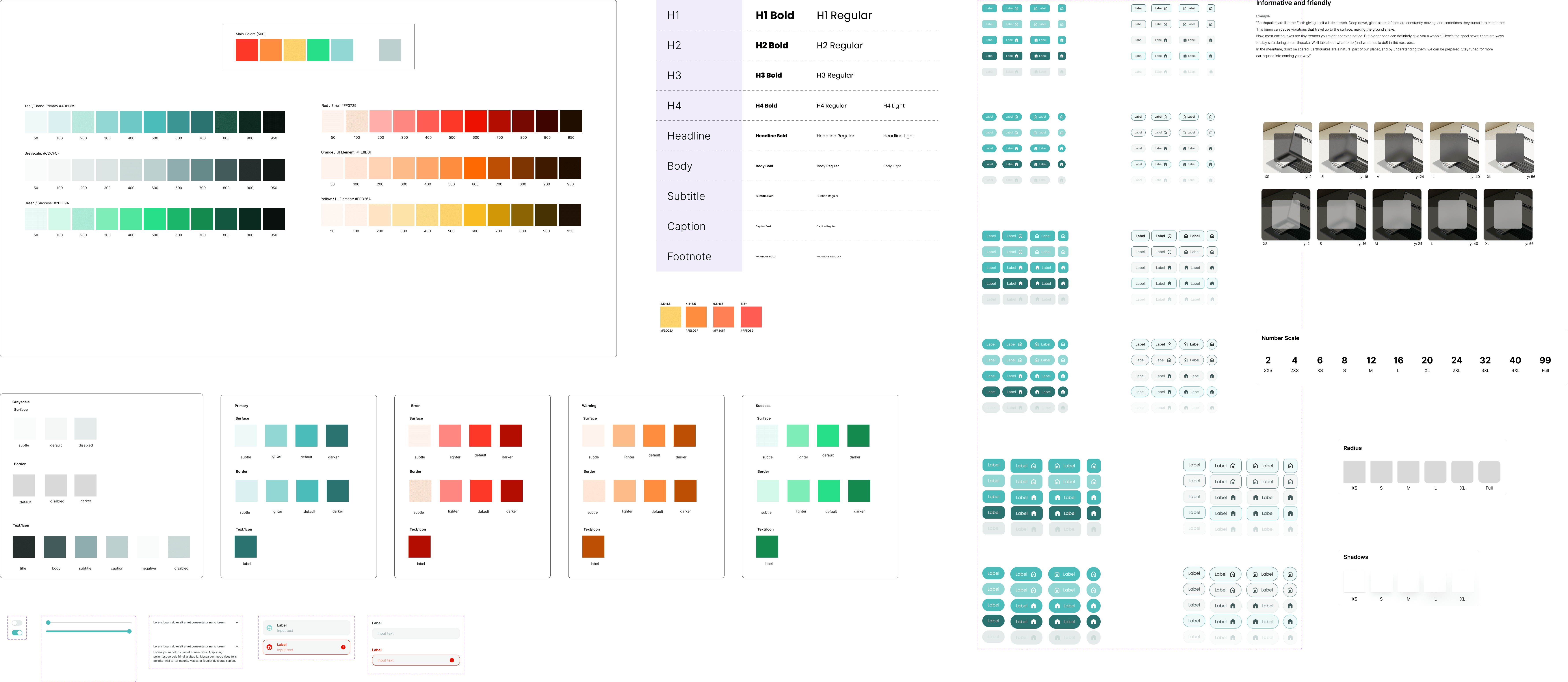
I designed a universally accessible UI that maintains an authoritative presence while removing visual barriers for a general audience.
Created an accessible design system (WCAG compliant) that reduced cognitive load and accelerated access to vital features. I also authored the brand’s first component library, standardizing typography, grids, and UI elements to unify the end-to-end user experience.
Transforming MyShake from a passive alert tool into an active earthquake companion, using simplified navigation to encourage frequent user interaction with readiness features.
Nearby earthquakes, Pinned locations First, Movable Map prioritizing loved ones and yourself, Damage Reports.
Safety Information letting users know what to do in an emergency. Education offers gamification increasing engagement.
Designed for all users and age groups rather than scientists. Data is more digestible.
Faster task to completion rate due to the change in information architecture. The simplified flow allows for critical information to be accessed faster.
The new solution is fast and intuitive. We cut the journey to just three easy steps.

Our goal was one metric: finding a loved one in two taps. This strategic change guarantees a seamless, life-critical experience and lowers stress during a crisis by a lot.
This is my most proudest work!
This was one of my favorite projects to work on as my team and I were really invested in making MyShake the #1 app in the market. I learned a lot and had a lot of fun through late nights working with the team.
Some key takeaways from my time with MyShake was design advocation. While our client denied to research their users, I pushed that we conduct user interviews, user surveys, and a competitive analysis to fully understand our scope. Sometimes, a client may not know what is best for the design. In the end, the research benefitted us a lot in understanding what were a user need.